

Power Apps Mobile Templates 2026: Why Offline-Ready Beats Built From Scratch
Canvas apps just got real offline profiles, live Dataverse access, and push notifications. See what changed, and which mobile templates are actually built to use it.
Field teams have always been the hardest audience to build for in Power Apps. Weak signal on a construction site, a warehouse with dead zones, an inspector working somewhere with no connectivity at all. The 2026 Release Wave 1 finally gives Canvas apps the tools to handle that properly. If you are buying or building a mobile Power Apps template this year, here is what actually changed and what to look for before you commit.

In this guide
What changed for mobile Canvas apps in 2026
Three updates from this wave matter most if your team works away from a desk.
- Advanced offline profiles with FetchXML. Makers can now define precisely what data syncs to a device and when, instead of relying on blunt, all-or-nothing offline caching. This is the difference between an app that works properly in the field and one that just fails quietly when signal drops.
- Real-time Dataverse access in online mode. When a device does have signal, the app pulls live data instead of a stale local copy, so field data and back-office records stay in sync the moment connectivity returns.
- Push notifications in custom-branded apps. Field and mobile apps can now notify users directly, useful for ticket assignments, inspection deadlines, or approval requests, without relying on email as the fallback channel.
None of this is retrofitted automatically onto an existing app. It has to be configured, and that configuration only goes smoothly on an app with a data model built to support it from the start.
Why a template handles this better than a rebuild
Offline sync logic is one of the easiest things to get wrong in a from-scratch build. Teams get the online experience right, ship it, and only discover the offline gaps once someone is standing in a warehouse with no signal and a form that will not save.
A template built with offline-first structure in mind avoids that failure mode because the data model was designed around sync boundaries from day one, not patched in after the fact. Setting up an advanced offline profile with FetchXML is straightforward on a clean schema. On a data model that grew organically over months of ad hoc requests, it is a rebuild in disguise.
This is the same argument that applies to buying any Power Apps template in 2026, just sharper for mobile. The cost of getting the foundation wrong only shows up once the app is in someone's hands in the field, which is exactly when it is most expensive to fix.
What to check before buying a mobile template
Run any mobile template against this list before you commit.
- 1 Offline-first data structure The schema should be built around what needs to sync and when, not a single flat table dumped to the device.
- 2 Clear sync and conflict handling What happens when two people edit the same record while offline. A well-built template has an answer. A rushed one does not.
- 3 Genuinely mobile-first layout Built for a phone or tablet screen first, not a desktop layout squeezed down. Thumb-reachable controls, minimal typing, large tap targets.
- 4 Photo and attachment handling Field apps live or die on how cleanly they capture photos and attachments offline and sync them back without duplication or loss.
- 5 Unmanaged solution delivery You need to configure offline profiles yourself. A locked package blocks exactly the setup this wave makes possible.
Where to start: mobile templates built for 2026
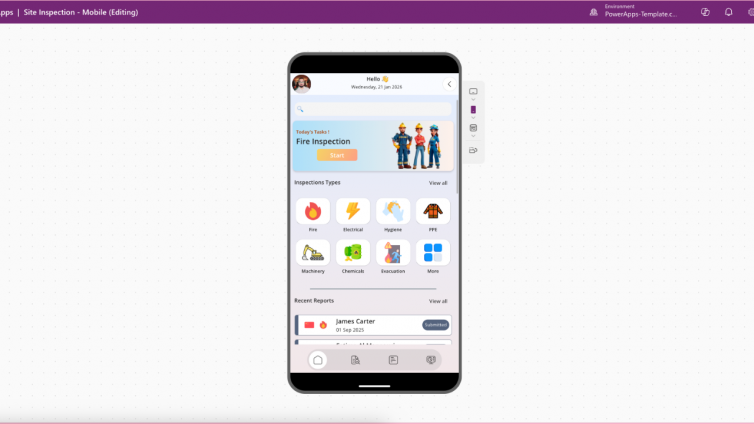
One category above the rest for this update: site and field inspections. Structured checklists, photo capture, and status tracking, all of it exactly the kind of discrete, well-bounded data that advanced offline profiles handle best.
Site Inspection Mobile App
$99Mobile-first layout with structured checklists, photo capture, and status tracking. The data model is discrete and well-bounded, which is exactly the structure that configures cleanly into an advanced offline profile.
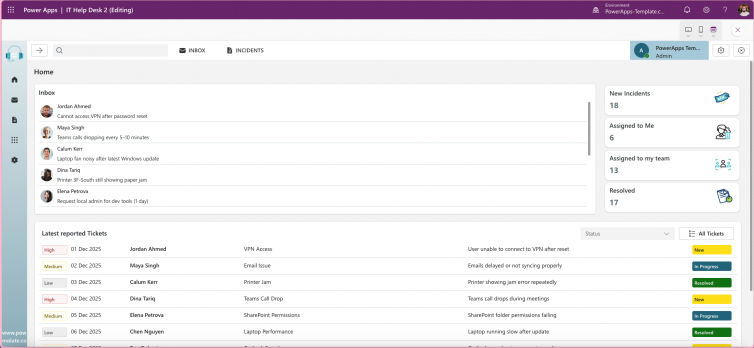
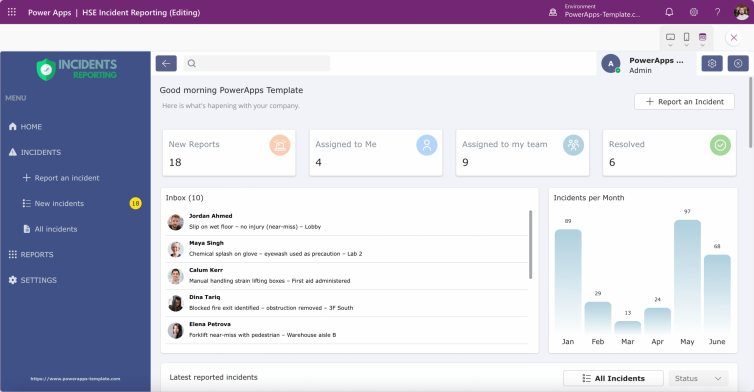
View template and pricingIT HelpDesk and HSE Incident Reporting templates are also strong candidates for offline configuration, particularly for teams logging tickets or incidents from locations without reliable signal.
IT HelpDesk – Ticketing, FAQ & Admin Dashboard
Ticket logging that holds up when field techs are working in signal dead zones.
View templateHSE Incident Reporting App
Incident and near-miss logging designed to capture cleanly offline, then sync the moment signal returns.
View templateFAQ
Do Power Apps templates work offline by default?
Not automatically. Offline capability depends on how the app's data model and offline profile are configured. A template built with an offline-first structure makes this configuration straightforward, a template that was not can require significant rework.
What is an advanced offline profile in Power Apps?
Introduced in the 2026 release wave, it lets makers define exactly what data syncs to a device using FetchXML, rather than relying on broad, all-or-nothing offline caching.
Can a Power Apps template send push notifications?
Yes, as of the 2026 release wave, custom-branded Canvas apps can enable push notifications directly, useful for ticket assignments, inspection deadlines, or approval requests.
What should I look for in a mobile Power Apps template?
An offline-first data structure, clear sync and conflict handling, a genuinely mobile-first layout, reliable photo and attachment handling, and delivery as an unmanaged solution so you can configure offline profiles yourself.
The bottom line
Power Apps mobile and offline capability just took a real step forward. The teams that benefit are the ones whose apps were built to use it, not the ones patching an old data model to catch up. A template designed offline-first gets you there in a day. A retrofit can take weeks, and often means rebuilding the data model anyway.
Build a mobile app that's ready for offline-first
Browse mobile-ready Power Apps templates, structured for real field use and ready to configure with the latest offline profiles.
Browse Mobile Templates