

You built the app. It looked perfect in testing.
Then it went live, and the complaints started: screens taking too long to load, forms hanging on submit, users asking why “the new app” feels slower than the old SharePoint list it replaced.
The usual suspects get blamed first: bad Wi-Fi, too many controls, a “buggy” data source. But in enterprise environments, especially for Solution Architects managing multi-role apps, permissions are one of the most overlooked performance bottlenecks in Power Apps.
The good news: this is fixable, and you don’t need to rebuild from scratch to fix it.
How permission layers slow down Power Apps
Permissions exist for good reason. But every layer of security logic adds a cost to app speed if it isn’t designed with performance in mind.
1. Excessive role checks
Every screen load or user interaction can trigger a chain of checks: SharePoint or Dataverse permission calls, conditional logic (if user equals X, allow Y), and dynamic role validation running in real time rather than once per session.
Apps with heavily nested role logic commonly see meaningfully slower load times, since each condition adds a round trip rather than a single cached lookup.
2. Layered security models
Many enterprise builds stack permissions across three separate systems: SharePoint permissions, Dataverse security roles, and custom logic written inside the Power Apps formulas themselves.
That’s three or more checks per single user action, each one adding latency and API calls the user never sees but definitely feels.
3. Restricted access on large data sources
When a user only has access to a subset of a large table, queries can lose delegation. According to Microsoft’s own guidance on building performant Power Apps, non-delegable formulas force the app to pull data locally and filter client-side instead of letting the data source do the work. Combine that with row-level security filtering, and the app ends up fetching far more data than the user will ever see, then discarding most of it after the fact.
4. Repeated permission calls
Poorly structured apps re-check permissions on every screen, for every control, and on every data refresh, instead of validating once and reusing the result. This is one of the quieter causes of unnecessary API consumption, and it compounds as the app grows.
What this actually costs you
| Approach | Time to build | Optimisation effort | Performance risk |
|---|---|---|---|
| Permissions handled from scratch | 3–6 weeks | High | High |
| Permissions handled via a pre-built template | 1–3 days | Minimal | Low |
For a typical enterprise app (5 user roles, 10+ screens, 50,000+ records), unoptimised permission logic can push load times to 8–12 seconds. With permission logic centralised and delegation-friendly, that same app typically loads in 2–4 seconds, a real-world difference your users will notice on day one.
The fix: centralise permission logic instead of layering it
Pre-built Power Apps templates solve this by design rather than by patching it after launch.
Centralised permission logic Permissions are checked once per session, stored in a variable or collection, and reused across the app instead of re-verified on every action.
Delegation-friendly data access Queries are structured to stay delegable, with role-based data shaping applied at the source rather than filtered locally after the fact.
Performance-first architecture Minimal API calls, clean OnStart logic, and a clear separation between role logic and UI, so the app feels instant rather than reactive.
Security aligned to Dataverse and Azure AD Instead of duplicating logic across SharePoint, Dataverse, and the app itself, permissions map directly to the platform’s native security model, which means fewer places for something to break and easier long-term maintenance.
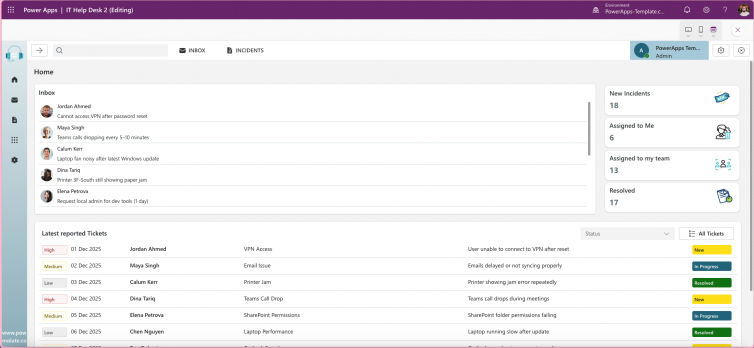
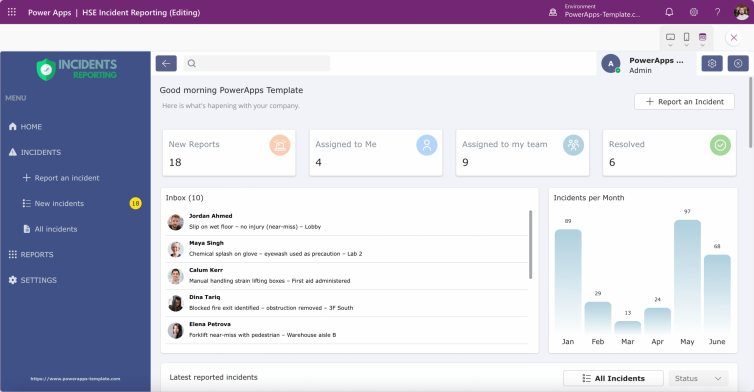
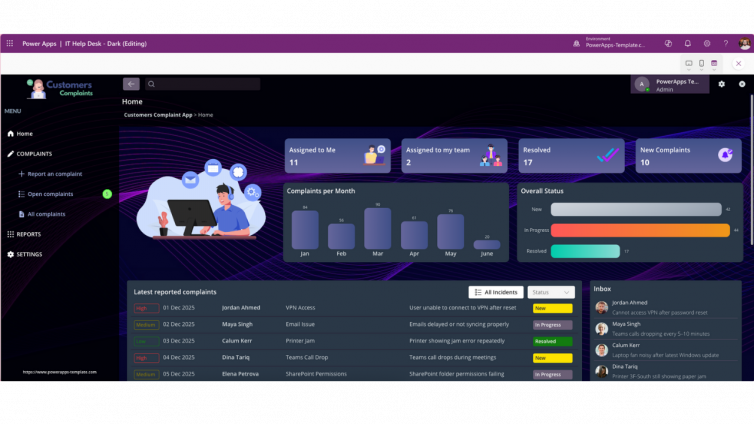
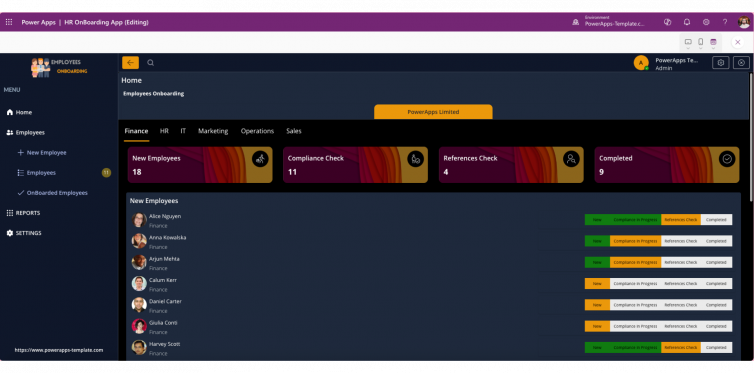
Templates built with role-based structures in mind, like the IT HelpDesk admin dashboard or the HSE Incident Reporting app, apply exactly this pattern out of the box.
Frequently asked questions
Does adding more user roles always slow down a Power App? Not inherently. The slowdown comes from how role checks are executed, not from the number of roles itself. An app checking permissions once per session and reusing the result can support many roles without a performance hit. The problem is re-checking permissions repeatedly across screens and controls.
Is Dataverse faster than SharePoint for permission-heavy Power Apps? Dataverse generally handles row-level and role-based security more efficiently at scale than SharePoint, since its security model is built for exactly this use case. SharePoint permissions can work well for smaller apps but tend to add more overhead as user count and role complexity grow.
Can I fix a slow existing app without rebuilding it? Often, yes. Centralising permission checks into a single session variable, auditing formulas for delegation warnings, and reducing redundant OnStart logic can recover significant performance without a full rebuild. For apps with deeply layered security models, though, restructuring around a proven template pattern is usually faster than patching the existing logic.
How much faster is a template-based app compared to one built from scratch? In typical enterprise scenarios (multiple roles, 10+ screens, large datasets), template-based apps with centralised permission logic have shown load time improvements of up to 75%, largely from eliminating redundant permission calls and keeping data queries delegable.
Key takeaways
- Permissions are a hidden performance cost, not just a security setting
- Most slowdowns come from repeated, uncached checks rather than the permissions themselves
- Delegation and role-based data shaping matter as much as the security model you choose
- A template with permission logic built in from the start avoids months of retroactive optimisation
As a Solution Architect, the goal isn’t just a working app. It’s one that performs the same on day one as it does at 500 users. Start with a template that’s already solved the permission problem, and put the time you save into the parts of the build that actually need your judgement.